Similarity Browser
Overview

A B2B company wanted to find the themes in what its customers and prospects were asking. Those questions came from sales calls, chatbots and search keywords. The company grouped them by hand, on exact keyword matches. That approach had four problems:
- Each source sat in its own system, so no one saw the themes across all of them.
- Grouping by hand took a long time.
- Exact matches split questions that meant the same thing but used different words.
- It only found what they already knew to look for, so new themes went unnoticed.
I built the Similarity Browser to group the same questions by meaning instead. It takes a list of texts, each with a number such as calls or clicks, and embeds each text with OpenAI's text-embedding-3-small (1,536 dimensions). Under exact matching, "cancel my plan" and "how do I stop my subscription" end up in different groups. As embeddings, their cosine similarity is high, so they land together.
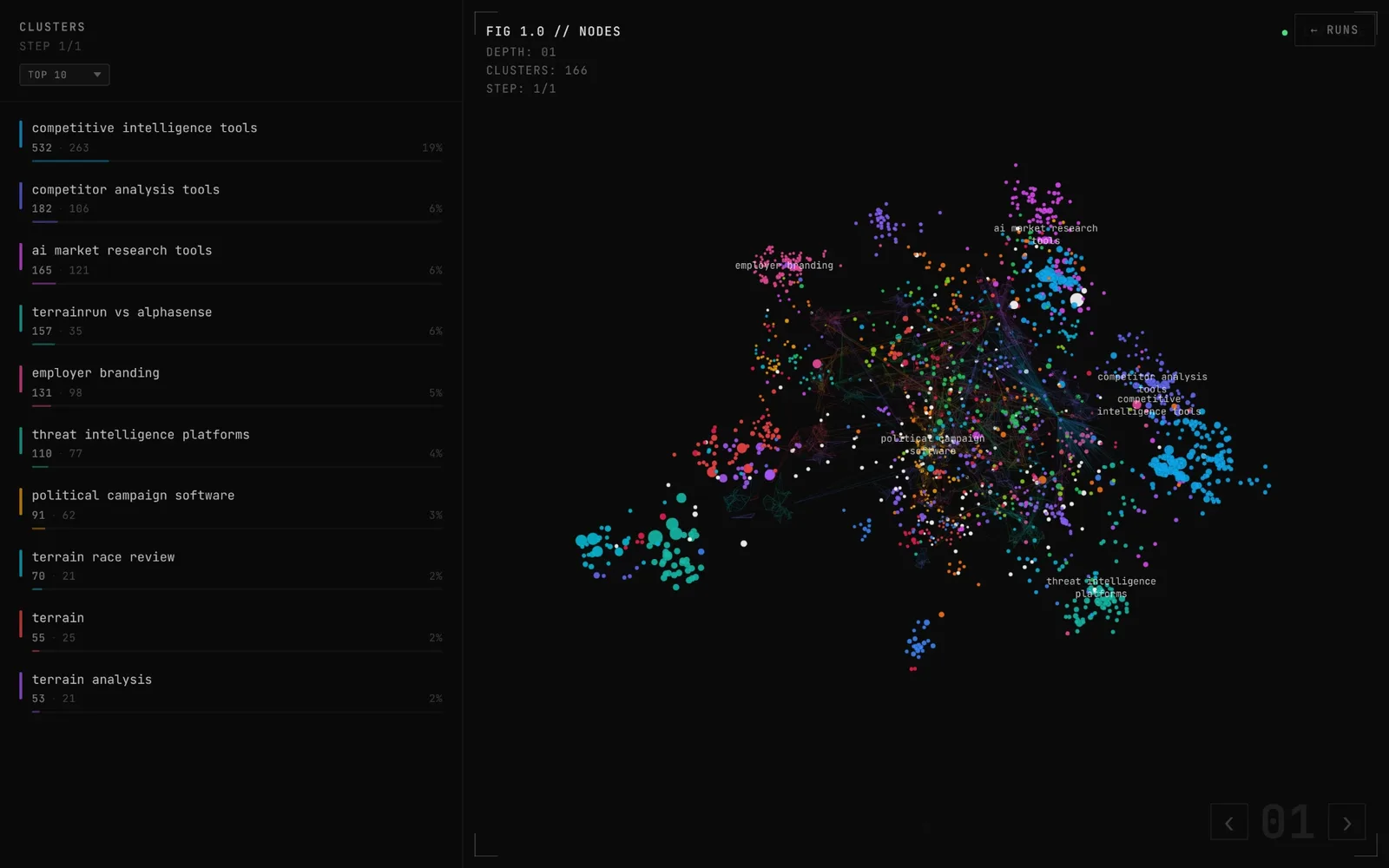
From there, the tool clusters the embeddings recursively, labels each cluster with an LLM, and projects the result to 3D. The sections below take those steps in turn.
- Python (FastAPI, scikit-learn, NumPy, pandas)
- OpenAI embeddings and GPT-4o mini
- Svelte 5
- three.js
- Cloudflare Pages and KV
How the groups form
The tool works in rounds. Each round:
- Picks the leaf cluster with the highest total weight: the sum of its members' metric (clicks, calls), not its member count.
- Runs k-means on it with k = 2 and k = 3.
- Keeps the split with the lower inertia (the sum of squared distances to each child's centroid).
- Labels the new clusters, then starts the next round.
Because each round picks by weight, resolution goes to the high-volume topics, and the long tail of low-volume queries stays coarse.
The weight only decides which cluster gets split. K-means itself runs on the unweighted embeddings with a fixed seed, so the same input always produces the same tree.
One known issue sits in step 3. Adding a cluster always lowers inertia, so comparing raw inertia favours k = 3 whenever it is allowed. The only check that can rule it out is the child-size guardrail in the next section, and the gain test only accepts or rejects the winning split. In practice, splits are three-way by default. The fix is to stop comparing raw inertia: either penalise the extra cluster, or choose k by gain per added cluster, so k = 3 has to earn its third child.
Setting the split threshold
Recursive splitting needs a stopping criterion, and that turned out to be the hardest part. Questions to one product's support line all sound alike, while search keywords across a whole market range widely. Put technically, datasets differ in how dense their embeddings are, so a fixed distance threshold doesn't transfer between them. It over-splits a diffuse dataset and under-splits a dense one.
The criterion I used is relative instead. A split is kept only if it reduces the cluster's inertia by at least 1%, measured as (parent inertia − children's inertia) ÷ parent inertia. A diffuse cluster gains a lot from splitting, so it keeps dividing. A dense cluster gains little, so it becomes a leaf. Because the test is a ratio rather than an absolute distance, it doesn't depend on the scale of the data.
A 1% bar sounds low. In two or three dimensions, splitting data in two typically cuts inertia by half or more. These embeddings have 1,536 dimensions, though. A split separates the data along a few directions, and the variance in all the others stays. For data with no structure, spread evenly in every direction, a split cuts inertia by only a fraction of a percent. Clearing even 1% therefore takes real structure.
From backend/clustering.py:
gain_rel = (parent_inertia - best_inertia) / parent_inertia if parent_inertia > 0 else 0
logs.append(f"Best k={best_k}, gain_rel={gain_rel:.4f} (threshold={self.min_gain_rel})")

if gain_rel < self.min_gain_rel:
    logs.append(f"Gain too low: {gain_rel:.4f} < {self.min_gain_rel} — split rejected")
    return None
Two guardrails sit on top of that. A cluster needs at least 10 members to be a split candidate. Each child must have at least 8 members or at least 5% of its parent's weight, so a small but high-volume cluster isn't discarded. The run also pauses once it has √n leaves, where n is the number of texts, with a minimum of 10. More splits can be requested from there.
Naming the groups
Each new cluster is labelled by GPT-4o mini at temperature 0.3. The goal is a label in the users' own phrasing, not a summary in the model's words. To get that, the prompt lists the cluster's members ranked by weight, and the model is told to stay close to the wording of the heaviest one, in eight words or fewer.
What the model sees is filtered first. Members below 5% of the cluster's top weight are left out as noise, and the prompt holds at most 50 members.
Some clusters don't need the model at all. If only one member clears the 5% bar, no API call is made, and that member becomes the label. The same fallback covers failures: if the call errors, the heaviest member is used instead.
Seeing it in 3D
For display, the 1,536-dimension embeddings are reduced with PCA to 50 dimensions, then with t-SNE (cosine metric, perplexity 30) to three, and normalised to [−1, 1]. The seed is fixed, so a dataset always gets the same layout.
The clustering is also visible while it runs. The FastAPI server streams each split over a WebSocket as it happens, so the tree grows live in the browser. The map itself renders in three.js.